Organizations, Members, and Roles
Organizations, projects, team members, and role management
Organizations
An organization is the top-level account that owns all interviews, questions, and sessions. Recruiter360.ai is approval-gated: there's no self-serve "create organization" flow. After you register and submit a demo request, an admin reviews it and provisions your organization for you — see Account and Dashboard for the sign-up flow.
If you need an additional organization (e.g., a second company or business unit), ask an admin to provision one — the same demo-request-and-approval process applies.
Call limits
Every organization has a call limit for outbound phone screening, set by the admin when it's approved. Once you're close to the limit, a banner appears in the dashboard with a Request more callsbutton that notifies the admin team by email. Some organizations are granted unlimited calls and won't see this banner at all.Projects
Each organization can have multiple projects. A project groups interviews and questions under a common scope — such as a department, role family, or hiring wave. Switch projects from the same breadcrumb.
Example
Organization "Acme Corp" might have projects "Engineering Q1" and "Product Internships."Members
Go to Organizations > Settings > Members to see who has access.
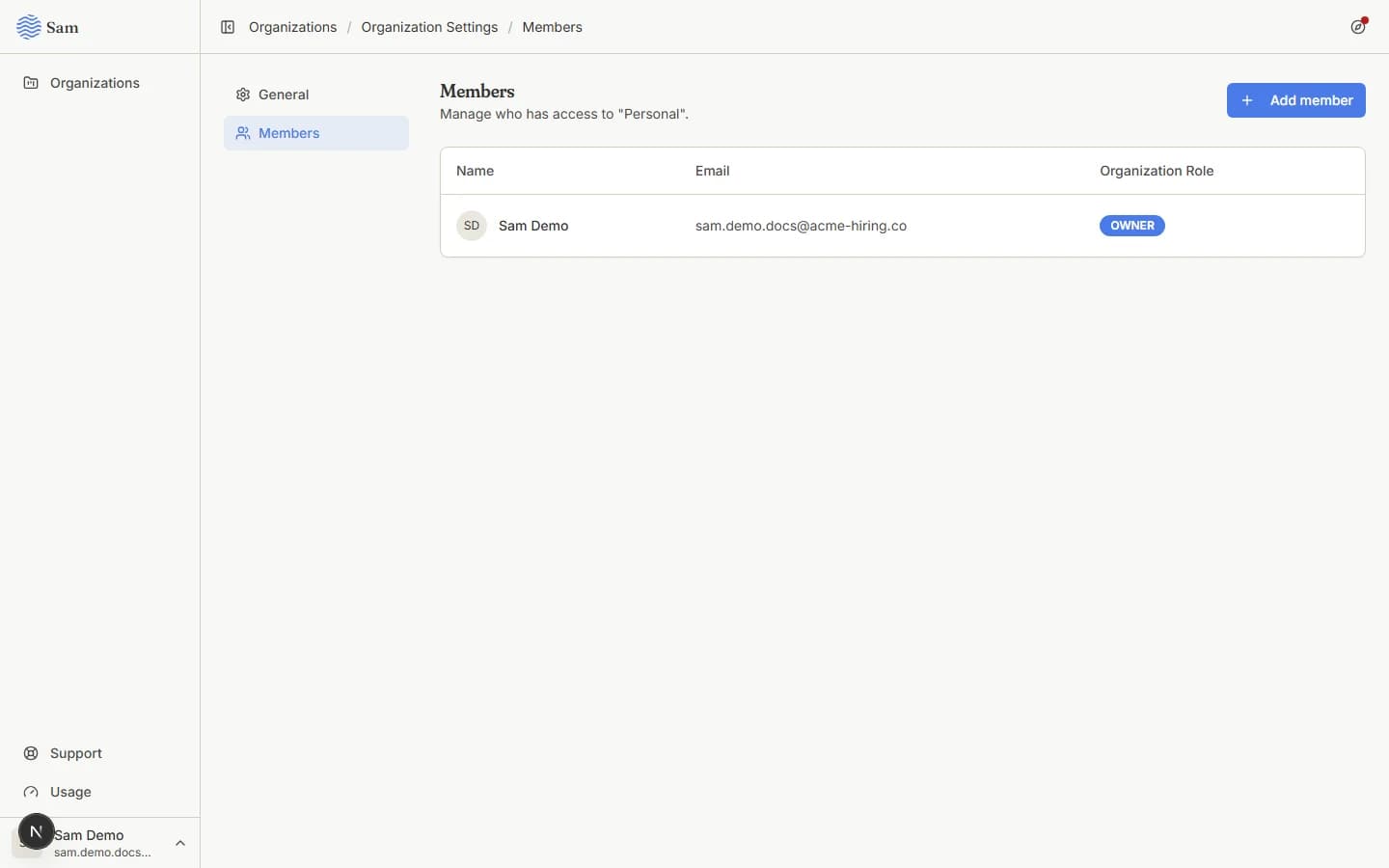
Click + Add member, enter the person's email address, and choose a role. If they don't have a Recruiter360.ai account yet, they'll receive an invitation.
Roles
- Owner — full access including member management and deletion
- Admin — can manage interviews, questions, members, and settings
- Member — can create and edit interviews, view results, and manage questions
You can change a member's role or remove them from the members table at any time.